How to create and use Personal Voice on iPhone and iPad

Discover how to clone your voice on your iPhone to improve accessibility. Step-by-step tutorial, features, and privacy tips. Get started now!

Discover how to clone your voice on your iPhone to improve accessibility. Step-by-step tutorial, features, and privacy tips. Get started now!

Apple has stopped signing the firmware for the original iPhone 5c, iPad 4, and iPad Air. Learn what this means for users and how it affects restoring these devices.

Discover which iPad models will be able to update to iPadOS 27, all its new features, and when the final version arrives in Spain this September.

iPadOS 26.5 is now available: compatible models, key new features, and steps to install the update on your iPad in Spain and Europe.

Discover the best apps for drawing on iPad with Apple Pencil: free and paid, for illustration, comics, vectors, and animation.

Apple has announced that it will release a full-power version of Pixelmator Pro for iPad, compatible with Apple Pencil, at the end of January.

iPadOS 26 brings the Journal app to iPad and Mac with maps, Apple Pencil support, and multiple notebooks. Discover all its features and how it can help you in your daily life.

iPadOS 26.2 revamps multitasking with drag-and-drop gestures and adds improvements to apps, security, and accessibility on the iPad.

Activate and use key verification on iPad: requirements, steps, codes, and iMessage notifications to secure your chats.

Connect and manage accessories on your iPad: Bluetooth, USB, and security. Key tips and settings to get everything working perfectly.

Learn how to open apps on iPad from the Dock and Library, share files, and fix common problems. Clear, step-by-step guide.

Learn how to crop subjects on iPad with Photos, Files, and Shortcuts. Tips, limits, and practical uses to master this feature.

Learn how to change, move, and adjust windows on your iPad using gestures and the Visual Organizer. Clear tips for working faster.

Learn how to change default apps on your iPad: browser, email, phone, and more. Clear guide, steps, and tips to personalize your experience.

Recognize objects, text, and places on iPad with Visual Search and Google Lens. Clear guide for photos and videos with practical tips.

Learn how to decide what you share on your iPad: permissions, tracking, parental controls, and secure sharing on Drive. A clear and practical guide.

Rotate your iPad screen, unlock it, and fix other issues. Tips, AssistiveTouch, and solutions if it won't rotate.

Optimize the Share menu on your iPad: organize apps and actions, integrate Shortcuts, and speed up your workflow with practical tricks.

Learn how to use quick actions on iPad: keyboard shortcuts, menus, Control Center, and the Dropbox widget. Improve your fluency in seconds.

Learn how to use and customize the iPad Control Center: Wi-Fi, groups, sizes, and third-party apps. Clear tips to make it your own.

Update your iPad to iPadOS safely. Methods, automatic settings, and troubleshooting to ensure a successful update.

Learn how to search for files, photos, downloads, and text on your iPad. Tips and tricks for Files, Photos, Drive, and Google Lens.

Learn how to change the language and region on your iPad and apps. A clear, 5-minute guide with tips and troubleshooting for a perfect setup.

Learn how to change the search engine on iPad and adjust default apps. Options, privacy, and key tricks for Safari and other browsers.

Learn to drag and drop on iPad: links, photos, screenshots, apps, and multitasking. Tips and iOS compatibility.
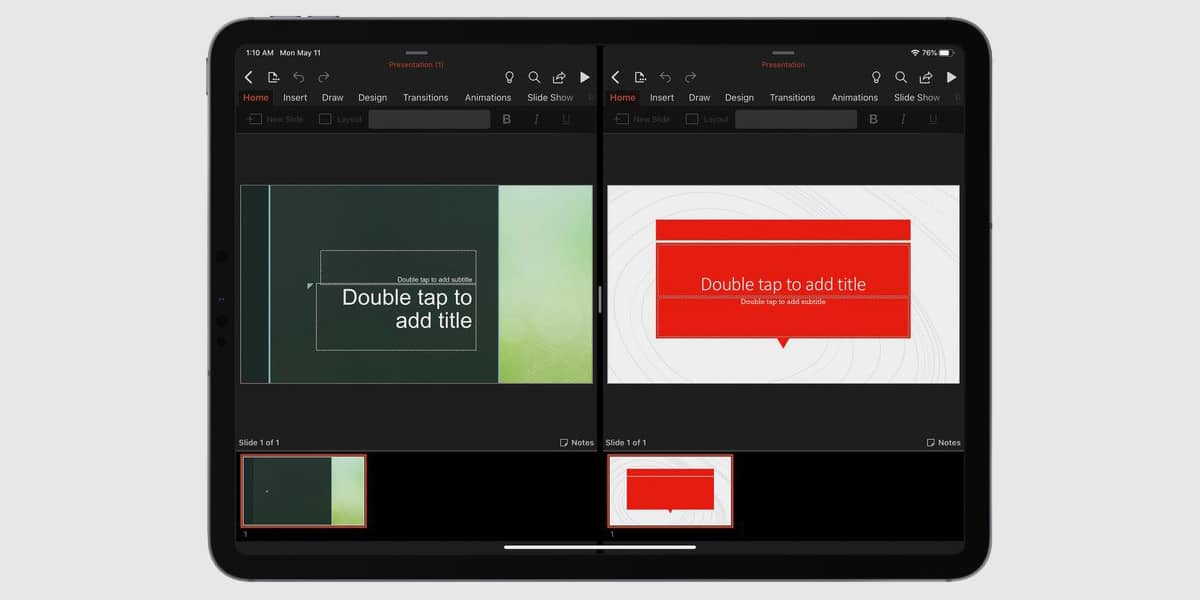
Master Split View and Slide Over on iPad: methods, gestures, and tricks for using two apps at once. A clear and practical guide.

Learn how to customize your iPad lock screen: backgrounds, widgets, effects, and tricks in iPadOS 17. Complete step-by-step guide.

Activate and use Live Text on iPad: copy, translate, and perform quick actions from the camera and Photos. Clear guidance with tips to get the most out of it.
A clear guide to installing and removing profiles on iPad: steps, MDM, security, and what to do if you can't remove them.
Learn key iPad gestures: Home, recent apps, and controls. A clear, comprehensive guide with helpful tips.

Transfer tasks between iPad, iPhone, and Mac with Handoff, AirDrop, and Continuity. Clear guidance with steps and tips for a smooth workflow.

Activate, customize, and automate Focus and Do Not Disturb on iPad. Complete guide with filters, screens, and time-sensitive notifications. Optimize your focus!

Switch apps instantly on iPad and transfer apps between iPads or accounts with Apple methods and specialized apps.

Enable controls, widgets, and privacy on your iPad lock screen. A clear guide to customizing access, notifications, and security.

Activate and manage mobile data on your iPad: eSIM or SIM, roaming, usage control, and troubleshooting. Clear step-by-step guide.

Master the iPad App Library: search, organize, hide pages, and decide where new downloads go.

Master permissions, tracking, and privacy on iPad. A practical guide to securely sharing and controlling what your apps can access.

How to use picture-in-picture multitasking on your iPad. Floating video with Split View, Slide Over, gestures, and multitasking tricks.

Learn how to adjust the date and time on your iPad. Solutions if it appears grayed out, and helpful tricks to get it perfect.

Learn how to stream video or mirror your screen on your iPad, Mac, PC, or iPad. Get the most out of your device!

Learn how to cut, copy, and paste between your iPad and other devices. A complete and easy-to-use guide to connecting all your devices.

Learn how to enable lock screen features on your iPad. Security, shortcuts, and widgets in a detailed guide.

Learn how to change advanced camera settings on your iPad. A practical guide for better photos and videos.

Learn how to set up email, contacts, and calendar accounts on your iPad step by step, including all major providers and advanced options.

A guide on how to create and manage "Hide My Email" addresses on your iPad. Protect your email.

Learn how to use accessibility features on your iPad. Step-by-step guide, tips, and tricks for 2024. Everything you need.

Learn how to view app windows and workspaces on your iPad. Detailed guidance, tips, and advanced customization.

Learn how to work across multiple devices with Continuity using your iPad easily. Updated guide.

Learn how to interpret the status icons on your iPad. Learn to interpret all the status symbols with this complete guide.

Learn how to use your iPad as a second display for your Mac. Complete guide, requirements, steps, and tips to get the most out of it.

Learn how to add or change keyboards on your iPad and optimize your typing experience with key tips. Join the experts!
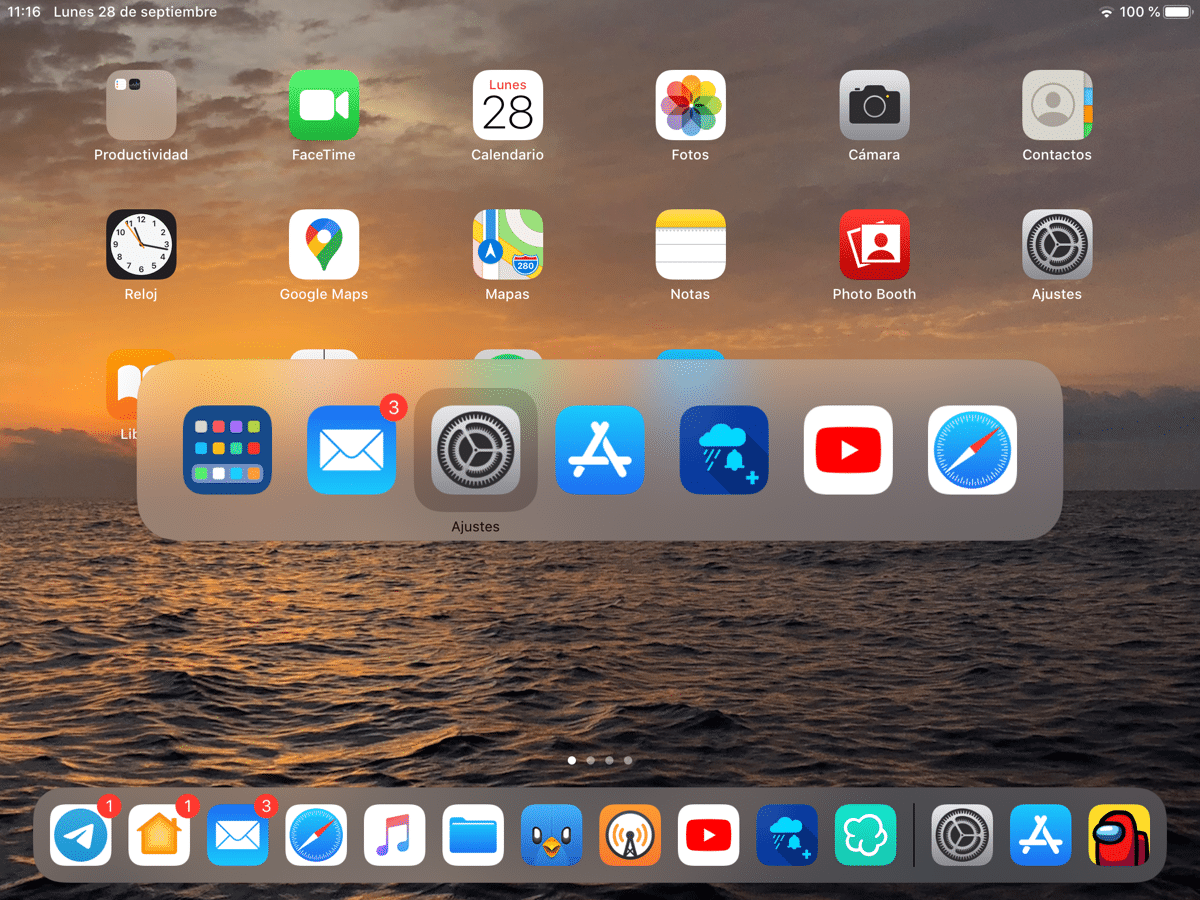
Complete guide to learning how to use the built-in apps on your iPad. Master your iPad in minutes with this updated guide.

Learn how to scan a QR code with your iPad and discover apps, tricks, and solutions to common errors.

Apple releases iPadOS 17.7.8 for older iPads: fixes vulnerabilities, improves security, and resolves session bugs.

Learn how to manage your iPad's storage space effectively and securely with detailed, helpful steps.

Learn how to securely erase your iPad and protect your data before selling, giving away, or trading in. A professional and detailed guide!

Learn how to protect access to your iPad and keep your data secure. Essential tips and settings.

Learn how to easily change or mute sounds on your iPad. A practical, updated guide for users of all skill levels.

Learn how to connect to the internet with your iPad using Wi-Fi, mobile data, and hotspot. Troubleshoot and enjoy your iPad without limits.

Learn how to use your iPad as a webcam for Apple TV. Easy guide, requirements, steps, and tips to improve your video calls.

Learn how to reset your iPad settings easily and safely. All steps updated for 2025.

Apple reportedly intends to revamp the design and functionality of iPadOS 19, bringing it ever closer to macOS.

Learn how to scan documents with your iPad step by step: Scanner Pro, PDF Expert, Notes App, and much more.

Learn how to check or change your iPad's cellular data settings step-by-step. Updated guide.

Learn how to record your screen on your iPad easily, with or without sound, and without any external apps. Everything explained step by step.

Learn how to connect your iPad to your computer using a cable to a PC or Mac to sync or transfer files and more.

Learn how to close and reopen an app on your iPad to quickly and easily troubleshoot common issues.

How to use the markup tools on your iPad? We'll tell you everything you need to know about this iPad tool.

Learn how to easily wake, unlock and lock your iPad. Fix lockout issues and protect your device.

iPadOS 18 has almost all the new features of iOS 18 but it also has features exclusive to the iPad and this one from Apple Music is very good.

We explain everything that the new 11 and 13-inch iPad Pro that Apple has presented with an OLED screen and M4 processor offers.

14 years after the launch of the first iPad, Apple finally plans to launch a Calculator app in iPadOS 18: finally!

Apple will maintain iOS 18 support for the same devices as iOS 17, but will reduce supported devices to iPadOS 18.

After many years in beta format, we can finally install the well-known game Call of Duty: Warzone Mobile on iOS and iPadOS.
Apple confirms that iOS 17.4 and iPadOS 17.4 have fixed two major security bugs previously exploited by hackers.

In today's article, we are going to see if it is true that iPadOS could have the same functions as MacOS in the future.

iOS 17.1.2 and iPadOS 17.1.2 are now a reality. Apple has released these updates to fix WebKit vulnerabilities.

We tested the Trust Lyra keyboard and mouse, compact, lightweight with great autonomy and memory for three devices.
Apple has decided to launch the new betas of all its operating systems: iOS, iPadOS, tvOS 17.1, watchOS 10.1 and macOS Sonoma 14.1.

Apple has released iOS 17.0.1, iPadOS 17.0.1, iOS 17.0.2 for iPhone 15 and watchOS 10.0.1 days after the official launch of iOS 17.

New updates to older Apple software are now available: iOS 15.7.9, iPadOS 15.7.9, macOS 12.6.9 and macOS 11.7.10.

Unlike what happened last year with iOS 16 and iPadOS 16, Apple intends to release iOS 17 and iPadOS 17 simultaneously.

A week later after the release of beta 7, Apple has just released developer beta 8 of iOS 17 and iPadOS 17.

iOS 7 and iPadOS 17 Developer Beta 17 is now available with minor design changes and few new features.

Apple has released some features in iOS 17 and iPadOS 17 that will not reach all users because they are not available in their language or country.
We analyze the novelties introduced by Apple in beta 5 for developers of its new operating systems iOS 17 and iPadOS 17.

Beta 5 for developers of iOS 17 and iPadOS 17, in addition to the rest of Apple's operating systems, is now available.
Apple has released the first version of the public beta of iPadOS 17 and iOS 17. We show you how to install it on your devices step by step.

iOS 16.5.1 (a) and iPadOS 16.5.1 (a) are the new rapid security updates released by Apple just a few minutes ago.

The new iPadOS 17 makes it possible to recognize webcams and microphones connected via USB-C without any pre-installed drivers.
Apple has presented the news of iPadOS 17, an operating system that advances but does not change drastically with respect to iPadOS 16.

iPadOS will be more customizable than ever with Live Activities, Interactive Widgets, and iOS 16-style Home Screens.

Apple has redesigned the iOS Health application and launches it in iPadOS 17 so that the user can access that information from the iPad.

It seems that Apple is working on a special version of iPadOS 17 for a new 14,1-inch iPad.
The new versions of iOS 16.5, iPadOS 16.5, and macOS 14.3 fix three security issues, two of which are addressed in iOS 16.4.1a.

iPadOS 17 is expected to introduce some features already seen in iOS 16 such as the ability to customize the lock screen.

Apple has already launched what is the third beta of iOS and iPadOS 16.5 for iPhone and iPad respectively, only suitable for developers

Some rumors suggest that iPadOS 17 could leave out the iPad 5 and the 1st generation of the 9.7 and 12.9-inch iPad.

Apple released release candidates of the upcoming iOS 16.4 and iPadOS 16.4 updates to developers for testing.

Apple has already put up and released the third beta of iOS, iPadOS, tvOS 16.4; macOS 13.3 and watchOS 9.4 where NFC support can be removed

