MovieBox, the application that gives us access to thousands of movies from our iPhone or iPad, it has been Updated to be able to work with iOS 8.3 without the need to have our device with Jailbreak. Long ago, this application was exclusively for jailbroken devices and with an older version of iOS.
MovieBox offers us a very extensive catalog of movies, but the problem we can find is that they are everything Movies in English, although it is true that we have the option to add subtitles, after registering on the website that you provide us, which makes MovieBox a very interesting option for those who from time to time watch a movie in VOS
Recently, the most widespread system was restricted by Apple, but today we bring you a new system that, at the time of writing this post, works perfectly.
IMPORTANT: This system, like all, can be revoked by Apple at any time, so Actualidad iPhone is not responsible for the time in which the application is functional, nor are we responsible for whether the installed profile has any type of malicious code.. I can tell you that I have MovieBox installed, working and without any problem.
Having said that, below I will show you the steps to follow.
How to install MovieBox on iOS 8.3 without jailbreak.
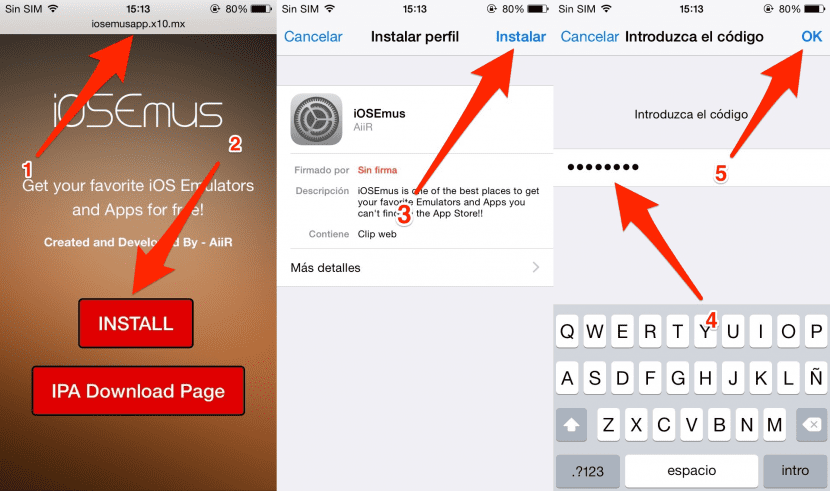
- With the Safari of our iPhone, we touch -> HERE
- We played on install.
- It will ask us to install a profile. We played on Install.
- We introduce the password.
- We played on OK.
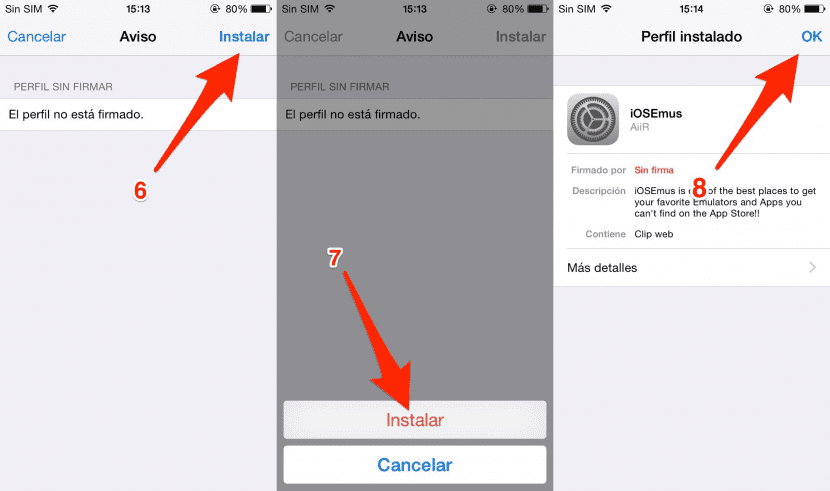
- We played on Install.
- We play again on Install.
- To get out, we tapped on OK. This will install the "store" of iOSEmus.
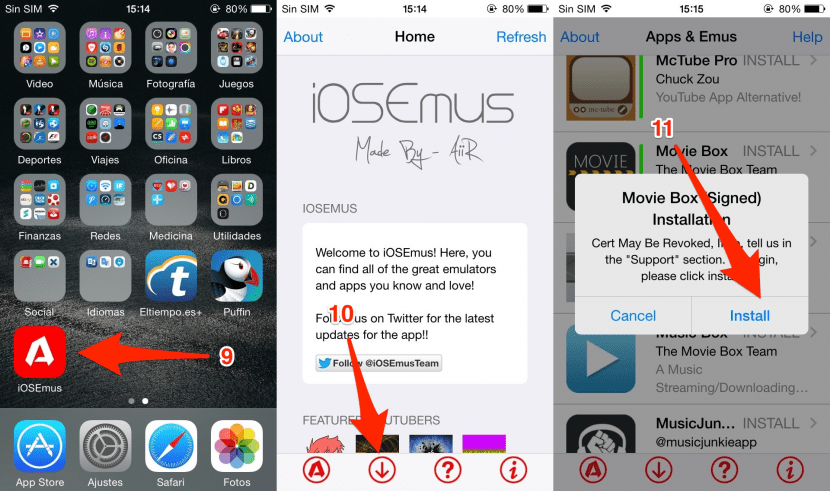
- We open iOSEmus.
- We touch the icon of the Arrow down.
- We look for the application MovieBox, we touch it and touch it on Install
- The icon will appear on the home screen. We touch it.
- In a warning pop-up, we tap on Trust.
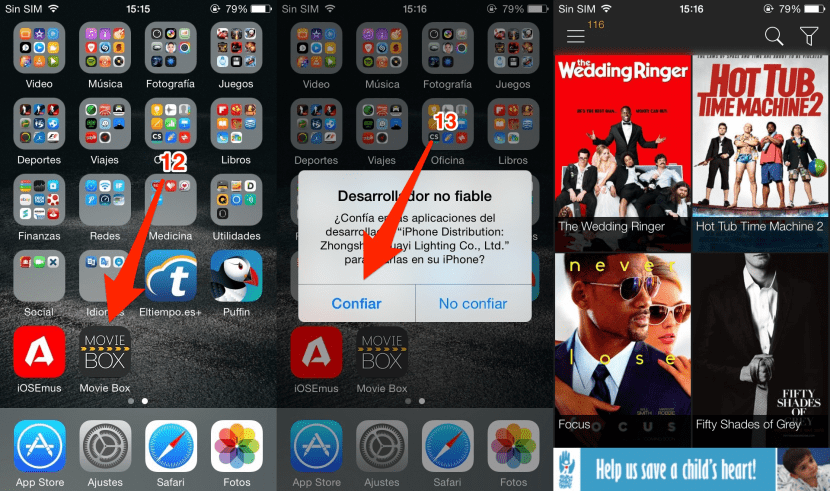
And we will already have MovieBox installed on our iPhone with iOS 8.3 without jailbreak.
As I said earlier, the MovieBox app will eventually shut down because Apple has revoked the certificate they used so that it could be installed on a non-jailbroken device. When the time comes, you have to be patient and wait for an update to come up. The process would be repeated from point 9.
And one more thing: if we don't trust the installed profile, we can go to settings / general / profile and uninstall it. In this case, the moment we want to reinstall MovieBox, we would have to do the whole process.